
Tutoring Website Examples: The Pages a Tutoring Business Needs
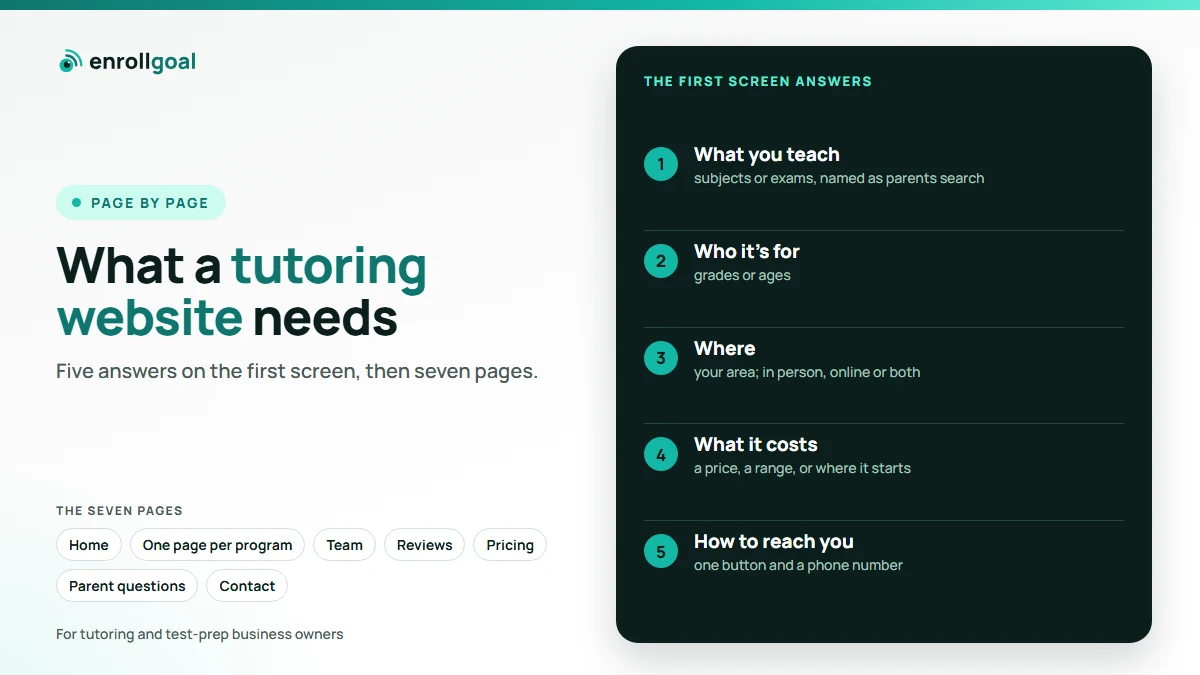
The best tutoring websites answer five questions on the first screen: what you teach, who it's for, where (in person, online or both), what it costs or where it starts, and how to get in touch. Behind that first screen they have one page per program, real proof from real families, and a short inquiry form on every page. This guide walks through each page a website for a tutoring business needs, with an example of what to put on it.
Most of the pages ranking for this search today are screenshot galleries from website builders. They show what looks good. This guide is about what works for a parent deciding whether to call you. It works for a solo tutor and for a center with several programs: a solo tutor needs fewer pages, not different ones.
Key takeaways
- Judge a tutoring website by the inquiries it brings, not by how it looks.
- Give every program its own page. It's the page most likely to match a parent's search for "[exam] prep [town]".
- Show real people and real reviews. Under FTC guidance, an endorsement must reflect the honest opinion and actual experience of the person giving it.
- Keep dates current. A page with last year's schedule costs you trust.
What makes a good tutoring website?
A good tutoring website lets a parent answer one question quickly: is this the right place for my child, and how do I ask? Parents often look on a phone, between other things, so the answer has to be on the first screen and repeated on every page.
That means five things up front:
- What you teach: the subjects or exams, named the way parents search for them ("SHSAT prep", not "specialized admissions readiness").
- Who it's for: grades or ages.
- Where: your town or area, and whether it's in person, online or both.
- Cost, or where it starts: a price, a range, or "plans start with a free consultation".
- How to get in touch: one button and a phone number.
The design matters less than those five answers. A plain site that gives them in seconds beats a beautiful one that hides them.
The pages a tutoring business website needs
A tutoring business website needs seven kinds of page. A blog is optional but useful for date-led questions, such as when registration opens.
The examples in this guide are for a made-up business, Bright Path Tutoring, the same one used on our tutoring website design page. They are illustrations, not quotes from a real business.
| Page | What it must answer | Example line |
|---|---|---|
| Home | What, who, where, how to start | "SHSAT, ISEE and high school math for grades 6 to 10, in Queens and online." |
| One page per program | Who it's for, format, dates, what's included, price | "Summer SHSAT: 8 weeks, small groups, a practice test every other Saturday." |
| About and team | Who will teach my child, and why trust them | A photo, name and background for each tutor |
| Results and reviews | Does it work for families like mine | Real reviews, quoted with permission |
| Pricing or how it starts | What will it cost me | A price, a range, or what the first step costs |
| Questions parents ask | Class sizes, schedules, what happens first | "What happens in the first session?" |
| Contact | How do I ask, and when will I hear back | A short form, a phone number, "we reply the same day" |
Example: the home page
The home page's first screen should name your programs and your place in one line, and offer one next step:
SHSAT, ISEE and high school math tutoring in Queens, in person and online
Small groups and one-to-one sessions for grades 6 to 10. Plans start with a free 20-minute consultation.
[Book a consultation] · Call (718) 555-0100
Below the first screen, add a short list of programs that link to their own pages, two or three real reviews, and a line about who you are. That's enough. A long home page that tries to explain every program buries the ones a parent came for. Our before-and-after of a tutoring home page on a phone shows the difference.
Example: a program page
A program page is the page most likely to bring families in from search, including the AI answers covered in our guide on how parents find tutors on Google and ChatGPT. A parent who types "SHSAT prep Queens" should land on your SHSAT page, not your home page. Give every program its own page, along these lines:
Summer SHSAT program, grades 7 and 8
8 weeks, July to August. Tuesdays and Thursdays, 4 to 6 pm, in person in Queens or online. Small groups.
Included: four full practice tests, a weekly progress note to parents, all materials.
From $[your price]. Starts with a free consultation.
"[A review from a family in this program]," parent of a 7th grader
[Ask about Summer SHSAT] · Last updated [date]
Dates go stale fastest, because they change every season. When a parent sees last year's schedule, they start to wonder what else is out of date. Keeping every program page current every month is what our website care service does.
Example: the about and team page
Parents are choosing who will teach their child, so the about page should show real people. For each tutor, a short card:
Ms. A. Rivera, SHSAT math
[Years] teaching middle school math. [Degree or background]. [One line on how she teaches.]
If you tutor alone, this page is about you: your photo, your background and how you teach. With a team, add who runs the business and why it started. Use real photos of your team, not stock photos: the parent is deciding whom to trust with their child.
Example: results and reviews
Quote only real reviews, with the family's permission, and say which program each one is about:
"[The parent's own words about what changed for their child]." Parent of a 7th grader, Summer SHSAT. Quoted with permission.
[If you know it: what students in this program generally achieve.]
That last line matters. Two FTC documents apply here. Its Endorsement Guides say an endorsement must reflect the honest opinion and actual experience of the person giving it. A specific result is usually read as what others can expect, and a line such as "results not typical" doesn't change that: either have proof the result is typical, or clearly disclose what students generally achieve. The FTC's Consumer Reviews and Testimonials Rule, in effect since October 21, 2024, covers fake reviews and testimonials, and incentives that depend on what a review says, positive or negative. The FTC can seek civil penalties for knowing violations.
In practice: never write reviews yourself, never offer anything in return for a review (Google's prohibited content policy bans review incentives on Google outright), and don't present your best result as typical. The same rules apply to results you post on social media, covered in our tutoring social media post ideas.
Example: the pricing or first-step page
Parents want to know whether you're in their range before they call. If you publish prices, show them by program. If you don't, say where it starts and what the first step costs:
How it starts. A free 20-minute consultation, by phone or video. Group programs start from $[your price] a month; one-to-one from $[your price] an hour. We'll recommend a plan after the consultation.
Either way, a parent should never have to inquire just to learn whether you're affordable.
Example: the contact form
The contact form should be short and on every page, not only the contact page:
Ask us a question
Child's grade · Subject or exam · What you're hoping for · Best way to reach you
[Send] · We reply the same day, Monday to Saturday.
What happens after the form is sent matters just as much. Our guide on how to get tutoring clients covers the reply, the consultation and the follow-up, and our guide to choosing a tutoring CRM covers where the inquiries should land.
Things tutoring websites get wrong
Five mistakes cost tutoring websites inquiries: last year's dates, no price or starting point, one page for every program, a booking widget with no phone number, and slow pages on a phone.
- Last year's dates. Easy for a parent to spot, and they notice.
- No price or starting point. A parent who can't tell whether you're in their range has one more reason not to ask.
- One page for everything. With every program on one long page, no program has a page of its own to match a parent's search.
- A booking widget with no phone number. Some parents want to talk first. Show both.
- Slow pages on a phone. Google uses Core Web Vitals, its measures of loading speed, responsiveness and visual stability, in its ranking systems. It also says there is no single page experience signal, and that it aims to show the most relevant content even when page experience is poor (Google Search Central, page experience). So a fast page won't rescue weak content, but a parent on a slow phone connection won't wait for it either.
Builder, template or done for you?
There are three ways to get a site like the examples above:
- A website builder such as Wix or Squarespace. Cheapest to start, and fine if you have the time to write the pages and keep them current.
- A web designer or developer. A custom first build, but changes often wait in a queue and cost each time.
- A done-for-you service. Someone else builds the site and keeps it current.
Whichever you choose, the real cost isn't the build. It's keeping every program page, date and review current every month, for years.
Where EnrollGoal fits
We built EnrollGoal after running HighScores.ai, our own test-prep platform, where every small website change was a job someone had to find time for. EnrollGoal builds the core pages in this guide, hosts them and keeps them current every month, and a person on our team reviews every change before it goes live. We also write the pages that help parents find you through Google and AI search, and our guide on how to advertise tutoring services covers how to bring them to the site in the first place.