
Tutoring CRM: What a Small Tutoring Business Needs
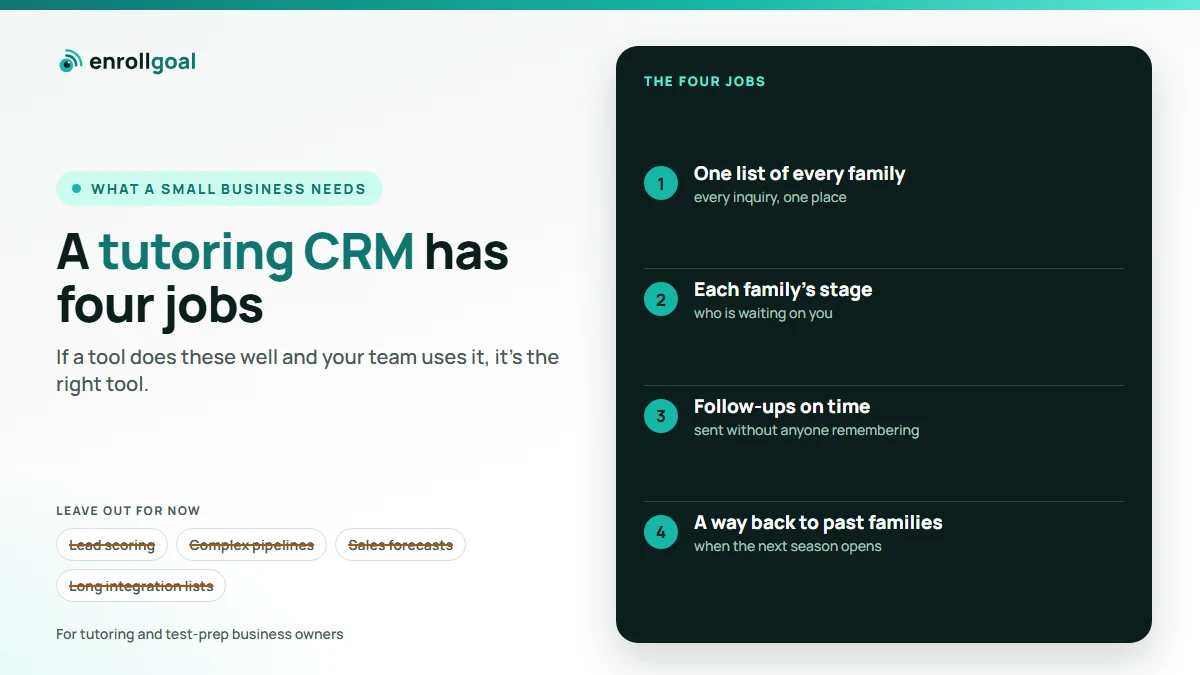
A tutoring CRM is the list of every family that has asked about your tutoring business, with where each one stands and what happens next. A small tutoring business needs it for four jobs: catching every inquiry in one place, showing each family's stage, sending follow-ups on time, and bringing past families back next season. Scheduling, billing and lesson notes are a different kind of software, and you may not need both at once.
Almost every page that ranks for this search is written by a company selling its own tool. This one isn't a list of products, because features and prices change too often for a list to stay true. It explains what the software is for, the kinds of tool you'll find, what a tutoring or test-prep business with a few staff actually needs, and how to test one before you commit. We do sell a done-for-you version, and we say exactly what it does and doesn't cover at the end.
Key takeaways
- A CRM tracks families and follow-up. Tutoring management software runs lessons: scheduling, billing, attendance. They overlap, but they are not the same tool.
- A small tutoring business needs four things from a CRM: one list, each family's stage, timely follow-ups, and a way back to past families.
- Leave out lead scoring, complex pipelines and long integration lists until you've outgrown the basics.
- Test any tool for a week with your own form, your own follow-up and an unsubscribe before you move your families into it.
What is a tutoring CRM?
CRM stands for customer relationship management. For a tutoring business, the customers are families, and the relationship starts before the first lesson: the inquiry, the consultation, the plan, the decision. A tutoring CRM keeps a record of each family (the child's grade, the subject or exam, how they found you, what was said) and shows what should happen next.
Without one, that record lives in an inbox, a phone, a spreadsheet and someone's memory. The family that said "let me think about it" in September is easy to forget by October.
CRM or tutoring management software?
Tutoring business software is sold under both names, so it helps to separate the two by the job they do.
| What it is | Tutoring CRM | Tutoring management software | Spreadsheet |
|---|---|---|---|
| Main job | Win and keep families | Run the lessons | A list you keep by hand |
| Starts at | The first inquiry | The first lesson | Whenever you fill it in |
| Typical features | Family list, stages, follow-up emails, reminders | Scheduling, billing, attendance, tutor pay, lesson notes | Rows and columns |
| Who uses it | Owner, front desk | Tutors, admin, parents | Whoever remembers |
| What goes wrong without it | Inquiries go cold | Double bookings, late invoices | It goes out of date |
Some tutoring management tools include basic lead tracking, and some CRMs add booking. Usually, neither does the other's job as well. So start from the problem that costs you more right now:
- Inquiries go cold: a CRM.
- Double bookings and late invoices: tutoring management software.
- Both: one tool that does lead tracking well enough, or two tools that connect.
- No time to run any tool: a service that runs it for you.
The kinds of tool you'll find
Whatever their names, the tools on the market fall into a handful of kinds.
| Kind of tool | Fits if | Watch for |
|---|---|---|
| General sales CRM | You want flexibility and will set it up yourself | Built for sales teams; lots to switch off |
| Tutoring management software with a lead module | Lesson admin is your bigger problem | Lead tracking and follow-up are often basic |
| CRM built for tutoring or education | You want tutoring terms (grade, subject) out of the box | Check it still lets you export everything |
| Email marketing tool with a contact list | You mostly need follow-up emails | No stages, so families' progress is hard to see |
| Done-for-you service | You'd rather not run software at all | You depend on the provider; check who owns the list |
| Spreadsheet | You get a handful of inquiries a month | Follow-ups depend on someone remembering |
What a small tutoring business needs from a CRM
A small tutoring business needs a CRM to do four things well. Everything else is optional.
- One list of every family. Inquiries from your website form, phone calls, walk-ins and referrals all land in the same place. If a form on your site doesn't feed it automatically, someone will forget to copy it in.
- Each family's stage. New inquiry, consultation booked, plan sent, enrolled, finished. At a glance you can see who is waiting on you.
- Follow-ups on time. A same-day reply to every inquiry with the next step, and a short series for families who haven't decided, sent without anyone remembering to send it. Our guide on how to get tutoring clients covers what those messages should say.
- A way back to past families. Children move from one stage of school to the next, so last year's family may need you again. The CRM should let you reach them when the next season opens, by program and grade.
If a tool does these four well and your team actually uses it, it's the right tool, whatever else it lacks.
What a small tutoring business doesn't need yet
General-purpose CRMs are built for sales teams, and much of what they offer is wasted on a tutoring business with a few staff. You can usually leave out:
- Lead scoring. If you get dozens of inquiries a season, not thousands, you can read each one.
- Complex pipelines. Five stages are enough. Fifteen means nobody keeps them up to date.
- Sales dashboards and forecasts. A monthly count of inquiries, consultations and enrolled families tells you what you need.
- Long integration lists. You need your website form and your email to connect. The rest can wait.
- A seat for every tutor. Tutors need the schedule, not the sales list.
The more a tool asks of your team, the less it gets used. A simple CRM that is kept up to date beats a powerful one that isn't.
When a spreadsheet stops working
A spreadsheet is a fine start. One row per inquiry, with the date, source, stage and next step, does most of the job. The tracking sheet in our guide on getting tutoring clients shows a simple layout.
It stops working when:
- inquiries arrive in more places than anyone copies into the sheet
- nobody can say who has been called back
- follow-ups depend on someone remembering to send them
- last year's families are a list nobody ever emails
That's the point to move to a CRM, or to have someone run one for you.
Questions to ask before you choose
- Does it catch inquiries from your website form automatically? If not, every inquiry depends on someone copying it in. Families who find you through Google or ChatGPT usually arrive through that form.
- Do emails come from your own address? Parents reply to people they recognize.
- Can it send on a date you choose? Test-prep families need a reminder before a registration deadline, not only "three days after the inquiry".
- Can you export your whole list, any time? The list of families is your business's most valuable record. It should stay yours if you switch.
- Does it handle opt-outs? In the US, promotional follow-up emails fall under the CAN-SPAM Act, which requires, among other things, a working opt-out honored within 10 business days (FTC compliance guide). A CRM should record opt-outs and stop emailing those families. Our guide on getting tutoring clients covers the rest of the rules.
- Who can see family records? You're holding details about children. Collect only what you need, and give access only to the staff who use it.
- How does the price grow? Tools charge per contact, per staff seat, per email sent, or with a setup fee. Work out what you'd pay at twice your current number of families.
How to test a tutoring CRM in a week
Most tools offer a trial. Use it to test the four jobs with your own setup, not the demo data:
- Submit your own website form and check the inquiry lands in the list, with the fields you asked for.
- Let the same-day reply go out, to yourself, and reply to it. Check the reply comes back to you, from your address.
- Move the test family through your stages, from new inquiry to enrolled, and see how many clicks it takes.
- Set a reminder for a date, such as a registration deadline, and check it sends.
- Unsubscribe from one of the emails and confirm the next one doesn't arrive.
- Import your current spreadsheet, then export everything to a file and open it.
If any step needs a support ticket or a workaround, expect it to need one every week.
Where EnrollGoal fits
Our parent follow-up service, a CRM and email for tutoring businesses, is in pilot. We set it up and run it for you. Inquiries from your website form, booking page and sign-ups land in one list, sorted by exam, grade and stage. Each new inquiry gets a same-day reply from your own email address with the next step, such as booking a call. Families who haven't decided get a short series of useful emails. Families interested in an exam hear from you before its registration closes, from an exam calendar a person checks against the official source. Past families hear from you when the next season opens.
Every email has an unsubscribe link. Your list of families stays yours: if you leave, we export it for you. Pilot pricing is set with you before you commit. It doesn't do texting, scheduling or billing, so if lesson admin is your bigger problem, a tutoring management tool comes first.
It runs on the email system we use for HighScores.ai, our own test-prep platform, where following up used to depend on someone remembering (why we built EnrollGoal). If inquiries reach you through your website, our guide to tutoring website pages covers the form that starts it all.