
How to Advertise Tutoring Services: A 7-Step Plan
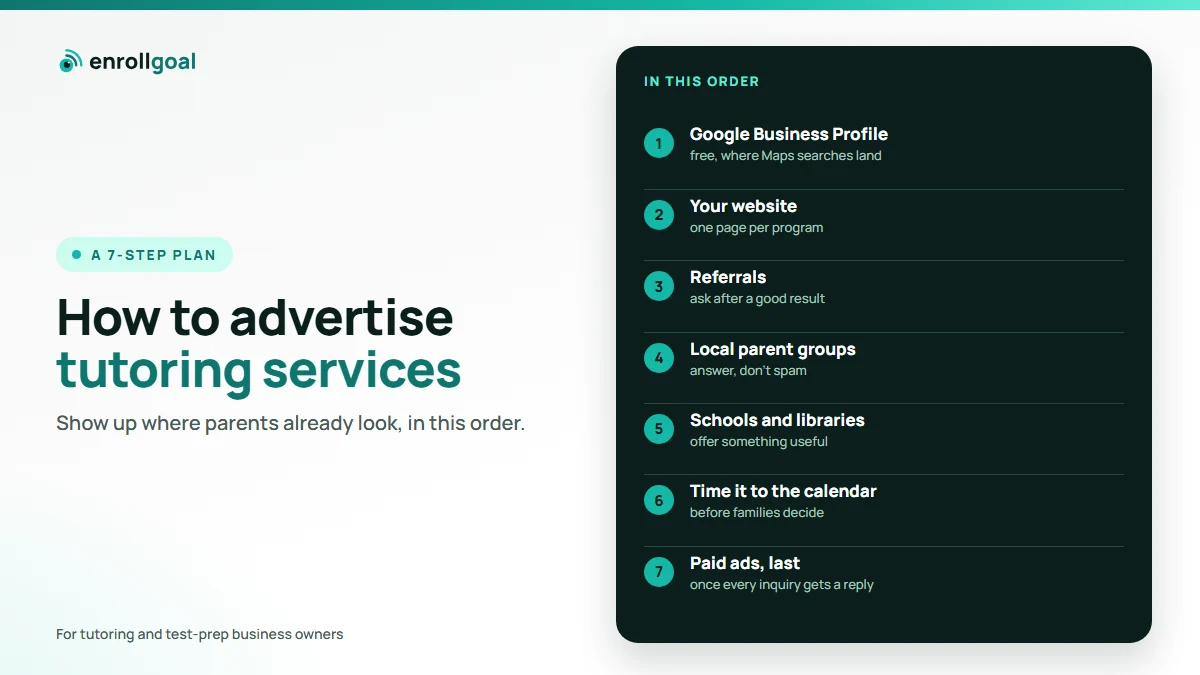
To advertise tutoring services well, show up where parents already look, in this order: your Google Business Profile, your own website, referrals from current families, and local parent groups. Time it to the weeks before families decide, and answer every inquiry the same day. Paid ads come last, once those four are working.
This guide is for tutoring and test-prep businesses of any size, from a solo tutor to a center with staff. Most of the pages that rank for this search stop at finding a first student. This one also covers what comes after: one subject or several, and a calendar that decides when families buy.
Key takeaways
- Start with the free places parents search: Google Maps and your own website. That's where a parent checks you before calling.
- Ask for referrals after a good result, not at sign-up, and make them easy to forward.
- Advertise before the decision point (registration, report cards, back to school), not on it.
- Spend on ads only once you can answer every inquiry quickly. An unanswered inquiry is the most expensive kind.
Where do parents look for a tutor?
Parents find tutors in five places: Google search and Maps, other parents, their child's school, local parent groups online, and AI assistants such as ChatGPT. Advertising a tutoring business mostly means being present and convincing in those five places, rather than buying space somewhere new.
| Channel | Cost | Effort to start | Best for |
|---|---|---|---|
| Google Business Profile | Free | An afternoon to set up, then verification and reviews over time | Families searching "tutor near me" or "[exam] prep [town]" |
| Your website | Hosting, plus upkeep | High once, then steady | Turning a search into an inquiry |
| Referrals from current families | Free | A habit, not a project | The warmest inquiries you'll get |
| Local parent groups | Free | A few minutes a week | Being known before families need you |
| Schools and community boards | Printing | Low | Counselors, PTAs, libraries |
| Paid social and search ads | You set the budget | Medium, plus tracking | Reaching families in a known season |
| AI answers | Free to earn, slow | Ongoing | Families who ask ChatGPT instead of Google |
Tutor marketplaces such as Wyzant and Care.com are missing on purpose. They can help fill your first hours, but the family finds the marketplace's listing, not your own name. Whether you tutor alone or run a center, the channels below send families to you.
1. Set up your Google Business Profile properly
Your Google Business Profile is the listing that appears in Google Maps and in the local results for searches like "SAT tutor near me". It is free, and for a local search it is often among the first things a parent sees.
Get the basics right, following Google's guidelines for representing your business:
- Address or service area. If families come to your center, show your address. If you tutor only in families' homes or online, Google treats you as a service-area business: hide the address and list the areas you serve. Google's service-area rules allow up to 20 areas, set by city or postal code rather than a radius. The whole area shouldn't extend beyond about two hours' drive from your base. If you do both, enter both.
- Categories and services. Choose the category that describes you, then list each service separately: SHSAT prep, high school math, SAT prep, and so on. A parent searching for one of them should find it named.
- Hours, photos and a booking or contact link. Real photos of your rooms and team show a parent where their child will spend the afternoon.
- Reviews. Ask every family that's happy with their child's progress. Google gives you a link or QR code to request reviews. Don't offer anything in return: a discount or free session for a review counts as fake engagement under Google's prohibited content policy. Google removes those reviews and can restrict the profile, for example by blocking new reviews.
2. Make your website do the selling
Your website's job is to turn a parent's search into an inquiry. When a parent lands on it, they want answers to five questions quickly. Which subjects or exams do you teach? Which grades or ages? Where, and is it in person or online? What does it cost, or where does it start? How do they reach you?
Put those answers on the home page and on one page per program, with a single, obvious way to get in touch on every page. Keep dates and schedules current: a page showing last year's dates makes a parent wonder what else is out of date. Our tutoring website examples go through each page and what to put on it.
If keeping the site current is the problem, that is what our website service is for: we build and host the site and keep it current, and a person reviews every change before it goes live.
3. Ask current families, at the right moment
Referrals are the warmest inquiries a tutoring business gets, because the parent arrives already trusting you. It's easy to ask at the wrong time: at sign-up, when the family has seen no results yet.
Ask after something good happens: a strong practice test, a better report card, an admission offer. Make it easy to pass on. A short message the parent can forward ("This is who helped us with the SHSAT, here's their page") is easier to pass on than "tell your friends about us".
4. Show up in local parent groups without spamming
Local parent groups on Facebook, WhatsApp and neighborhood forums are where parents ask each other "does anyone know a good math tutor?". Being the person who answers helpfully, week after week, builds a name that no ad can.
On Facebook, start in the groups, then use ads. Read each group's rules first; some ban promotion outright or allow it only on set days. Answer the question that was asked, say who you are, and link to one useful page rather than your price list. Between answers, our tutoring social media post ideas cover what to post on your own Page.
5. Reach parents through schools, libraries and community boards
School counselors, PTA newsletters, libraries and community centers reach parents who aren't searching yet. They work best when you offer something useful: a free practice test, a talk on how the admissions process works, or a one-page guide to the year's dates.
Flyers can work where parents already gather. Put one QR code on them, pointing to the one page that matches the flyer, not to your home page.
6. Time it to the calendar
Parents choose tutoring around decision points: test registration windows, report cards, the end of summer, a disappointing first quarter. Advertising works best in the weeks before those points, while families are deciding.
For example, registration for the 2026 SHSAT in New York City ran from October 6 to 30, 2026, and the test is scheduled for November 14 to 21, 2026 (NYC Public Schools: high school timeline and Specialized High Schools; dates checked November 9, 2026). With the test in mid-November, prep decisions fall in late summer and early autumn, so that is when an SHSAT program's advertising has to be running.
To see when families in your area search, look up your own program's search terms in Google Trends: choose a time range of a few years, then click your state on the map. Plan your spending around the peaks you see there, not around your own quiet months.
7. Run paid ads, once the basics work
Paid ads can reach families quickly, but only pay off if the four basics above already work. An ad that sends a parent to an outdated website, or to an inquiry nobody answers for three days, wastes the money twice.
When you're ready:
- Facebook and Instagram ads can be limited to people near your center: Meta lets you choose the locations an ad reaches. Show the program and the season ("SHSAT summer prep, Queens, starts July"), not a general brand ad.
- Google Ads on the searches parents type, such as "[exam] prep [town]", reach families who are already deciding.
- Track inquiries, not clicks. The number that matters is how many families contacted you, and how many enrolled.
After the seven steps: where AI answers fit
Some parents now ask ChatGPT or Perplexity "who is the best SHSAT tutor in Queens?" instead of searching, and Google can answer the same kind of question with an AI Overview above the results. Those answers draw on your website, your reviews and what other sites say about you. Google says there is no special trick for its own AI answers: a page needs to be indexed and eligible to show in Google Search with a snippet (Google Search Central, AI features and your website). Nobody can buy a place in them, but you can earn one: clear pages for each program, consistent business details everywhere, and reviews that say what you teach.
Our guide on how parents find tutors on Google and ChatGPT covers this in full. Our Google and AI search service checks every month whether AI tools name your business, and adds the pages that help them do it.
The ad is only half of it: answer every inquiry
Advertising money is easy to lose after the inquiry. Parents often ask more than one tutor at once, so the business that replies first and clearly has the best chance.
Reply the same day, even if only to say when you'll call, and keep a list of every inquiry and its source, in a spreadsheet or a tutoring CRM, so you know which advertising brings families. Our guide on how to get tutoring clients covers what comes after the inquiry: the consultation, the plan, follow-up and keeping families.
Where EnrollGoal fits
We built EnrollGoal to fix our own marketing first. If you'd rather teach than run all of this, it does most of it for you. We keep your website and Google Business Profile current and write the pages that bring searches and AI answers to you. In pilot, we also plan social posts around your exam calendar and reply to every inquiry. A person on our team reviews every page, post and email template before it goes live; the same-day reply to an inquiry then goes out automatically.